Run ChatGPT ads from your Shopify admin
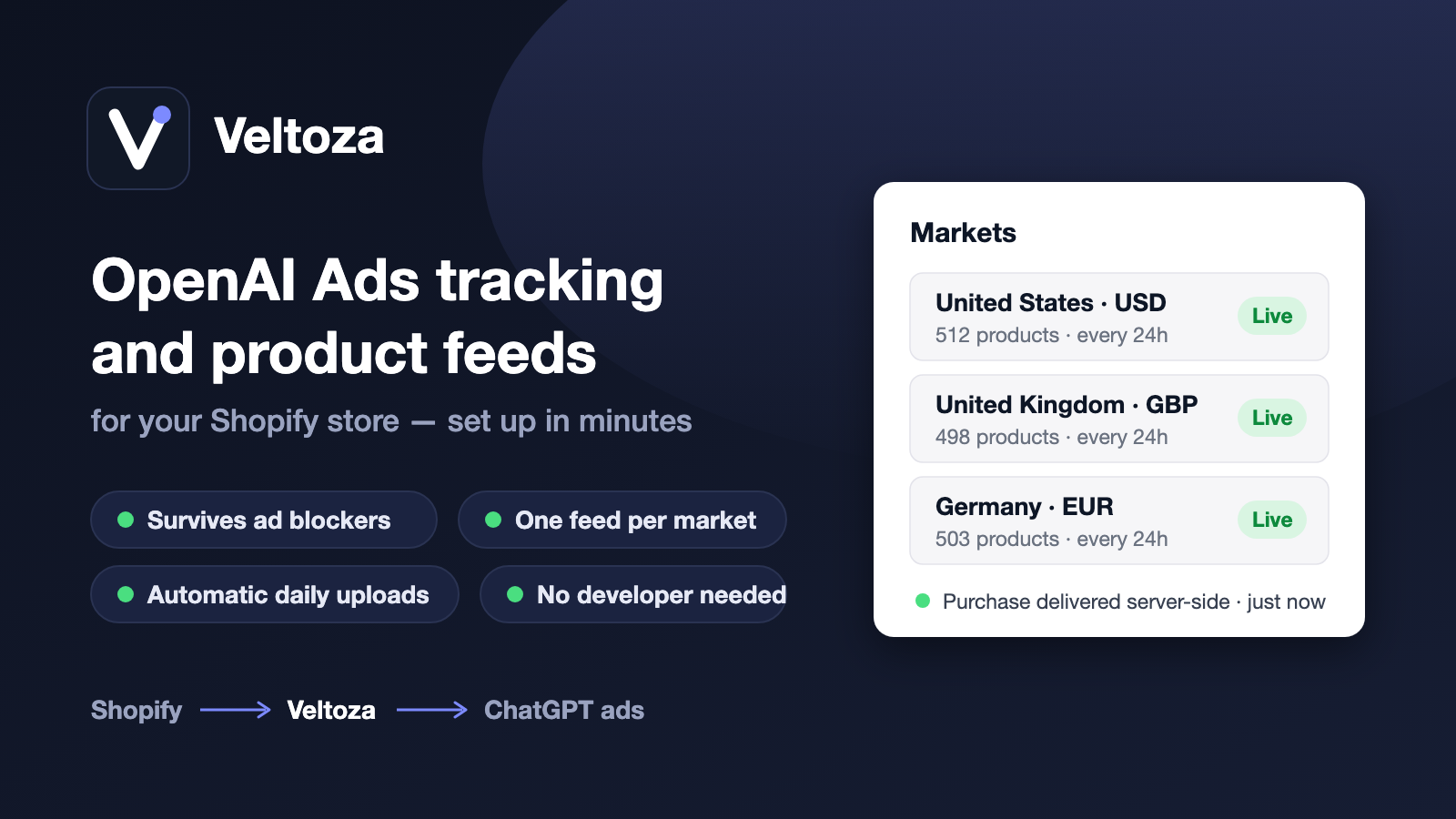
OpenAI Ads puts your products in front of ChatGPT's shoppers. Veltoza runs the whole thing from Shopify: build and pause campaigns, choose exactly which products advertise with brand, collection and price filters, send a market-accurate product feed with your review stars on it, and track every conversion server-side — no developer, no CSV files.
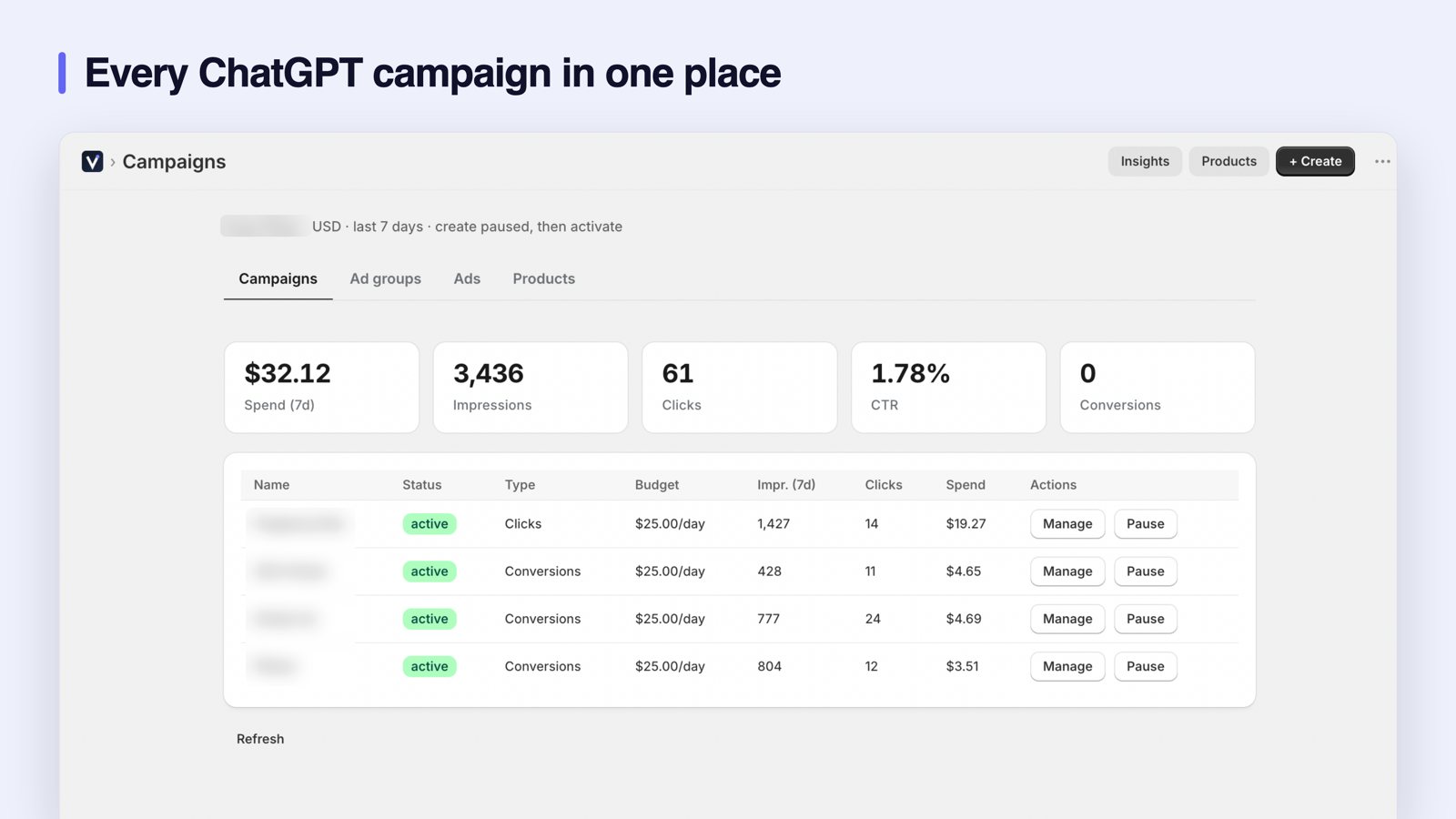
Campaigns without leaving Shopify
Create product-feed and manual campaigns, set bids, target locations and choose exactly which products advertise using filters on brand, collection, price or rating — with live match counts as you build. Pause, activate and archive without switching tools, and read spend, clicks and conversions per campaign and per product in the same place.
Conversion tracking that survives ad blockers
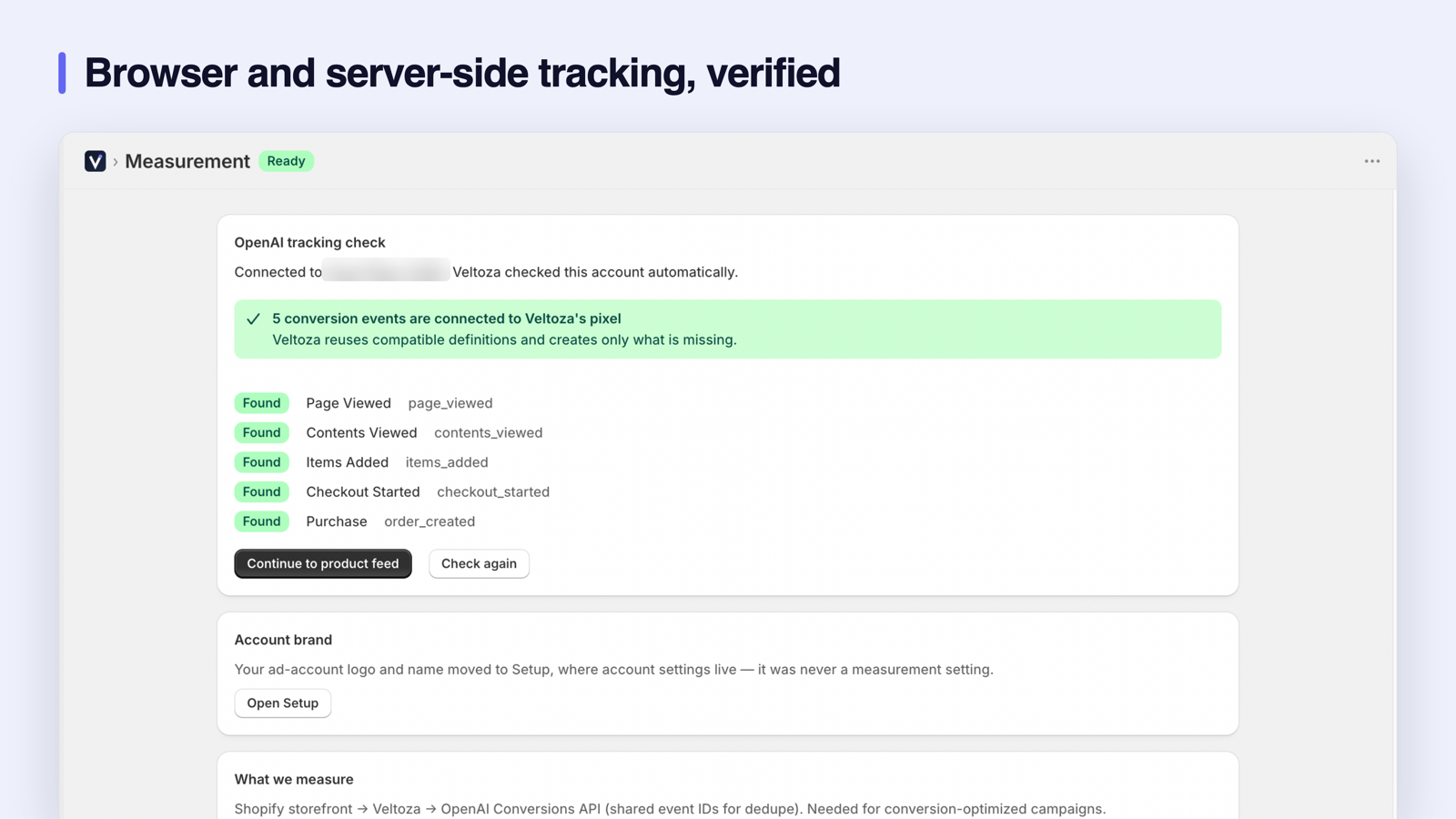
A browser-only pixel loses 15–30% of conversions to ad blockers and Safari's tracking prevention. Veltoza installs Shopify's official Web Pixel — sandboxed, no theme edits — and delivers every event server-side to OpenAI as well. Both copies share one event ID, so OpenAI deduplicates them and nothing is counted twice. Page views, product views, adds to cart, checkouts and purchases are all covered.
One product feed per Shopify market
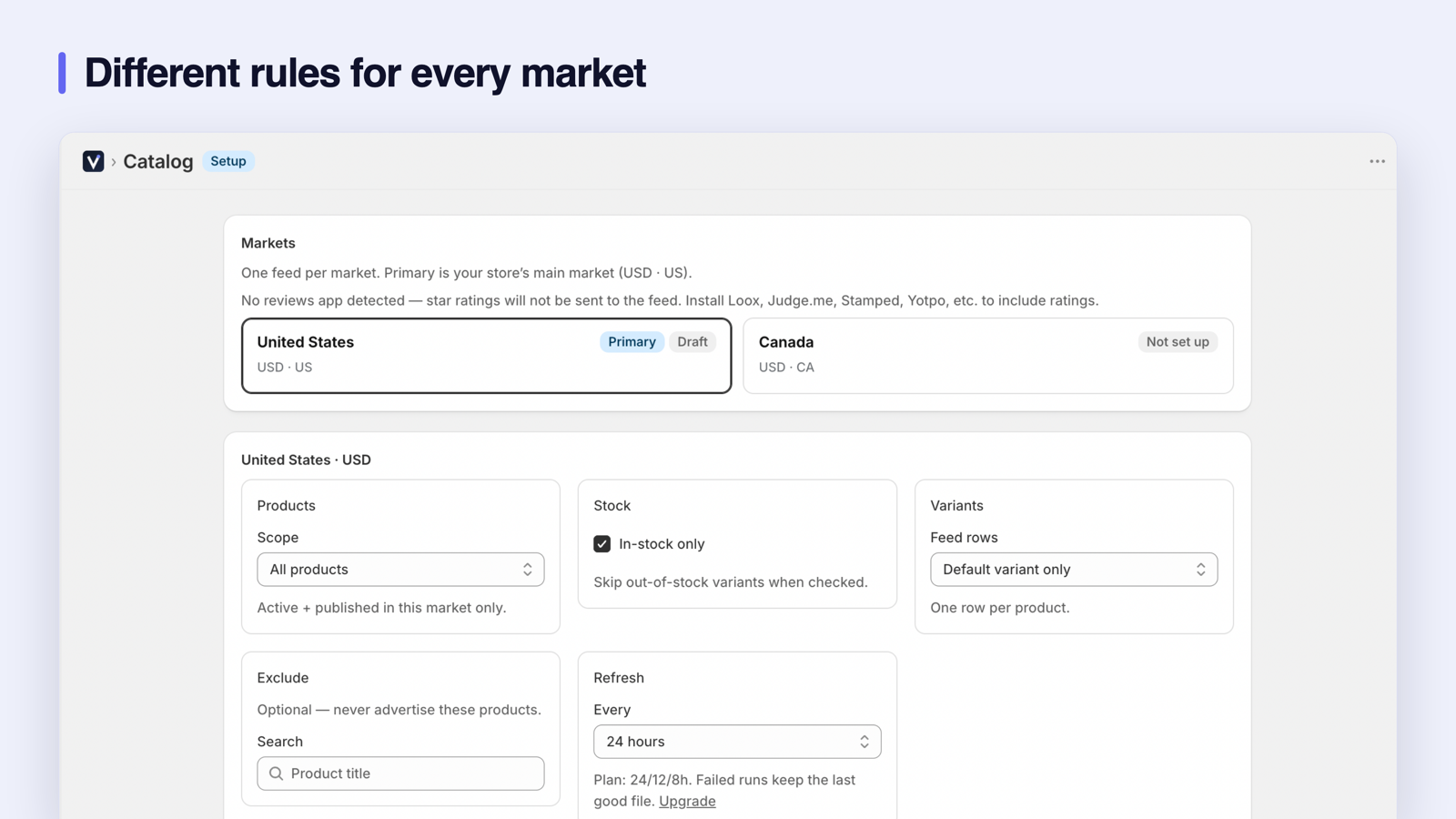
OpenAI runs one feed per currency, and getting this wrong means wrong prices in ChatGPT shopping results. Veltoza builds a separate feed for every Shopify market you advertise in — each with that market's contextual prices, its own currency, its storefront URL and only the products Shopify actually publishes there. Draft, archived and unpublished products are excluded automatically. Currencies never mix, and one market's file can never overwrite another's.
Uploads that fail safe
Every row is validated against OpenAI's feed schema before anything is sent. If a rebuild fails validation, the feed OpenAI already has stays live — a broken rebuild never replaces a working feed. Uploads run on your schedule: every 24, 12, 8 or 4 hours depending on plan. Review star ratings from the review app you already use are read automatically and travel with the feed.
What you get
- Create, pause and target ChatGPT ad campaigns from Shopify
- Connect an existing OpenAI Ads account and keep its campaigns
- Choose which products advertise, with live match counts
- Server-side conversion tracking that survives ad blockers
- One feed per Shopify market, never mixing currencies or prices
- Review star ratings and product filters built into the feed
What it looks like
Set up in four guided steps
- Connect OpenAI Ads. Paste one Ads API key — Veltoza creates the pixel and the conversion connection for you.
- Verify tracking. Veltoza finds the five conversion events and confirms they fire, browser and server-side.
- Choose products and markets. Pick scope, availability and refresh rules per market.
- Connect the feed destination. Copy the SFTP details from OpenAI Ads Manager — annotated screenshots show exactly where — and the first upload runs immediately.
Pricing
| Plan | Price | Products | Markets | Feed refresh |
|---|---|---|---|---|
| Starter | $29/mo | 500 | 1 | Every 12 hours |
| Growth | $79/mo | 5,000 | 3 | Every 8 hours |
| Scale | $199/mo | 20,000 | All 10 served | Every 4 hours |
Frequently asked
Can I build and manage campaigns from Shopify?
Yes. Product-feed and manual campaigns, ad groups, bids, location targeting and product filters all live inside the app, with live match counts as you narrow a product set. Pause, activate and archive without leaving Admin, and read spend, clicks and conversions per campaign and per product in the same screen.
How accurate is the product feed across multiple markets?
Each Shopify market gets its own feed, built from that market's own data: contextual prices, the market's currency, its storefront URL including any locale subfolder, and only products Shopify actually publishes to that market. A product missing from a market, or missing a public URL, is excluded rather than sent with a link that 404s. Feeds never mix currencies, and one market's file can never overwrite another's.
What happens if a feed rebuild fails?
Nothing is uploaded. Every row is validated against OpenAI's schema first — required fields, duplicate IDs, image and URL reachability, price format, currency match — and if validation fails, the previously uploaded feed stays live. A broken rebuild can never replace a working feed.
Do I need an OpenAI Ads account already?
Yes — and if you are already advertising, nothing is rebuilt. Paste one Ads API key and your existing campaigns, ad groups and spend appear straight away. Veltoza adopts the pixel your account already uses and reuses the conversion events already on it, creating only the ones that are missing, so you do not end up with a duplicate set beside your own. The feed destination details are copied once from OpenAI Ads Manager.